Start Here
Login और Setup
Platform खोलना, login करना, preview mode समझना, और live trading के लिए ready होना सीखें.
Login से पहले
#आप login से पहले Trading Tools page खोलकर apps preview कर सकते हैं.
Strategies save करने, broker connect करने, orders place करने, या live settings बदलने के लिए active account और subscription चाहिए.
- Registered email और password ready रखें.
- सभी web apps के लिए same Login use करें.
- Password या broker credentials किसी के साथ share न करें.
Trading Tools खोलें
#Trading Tools page में सभी client apps एक ही जगह दिखते हैं.
Discretionary Trading Tools हाथ से तेज़ trade करने के लिए हैं. Strategy Automation Tools rule-based या scheduled algo workflows के लिए हैं. Investing Tools में stocks की basket rebalance होती है.
- Trade Bridge external signals को trading strategies में convert करता है.
- Trade Bots time-based straddle और strangle strategies automate करता है.
- Trade Scalper fast discretionary intraday trading के लिए है.
Login कैसे करें?
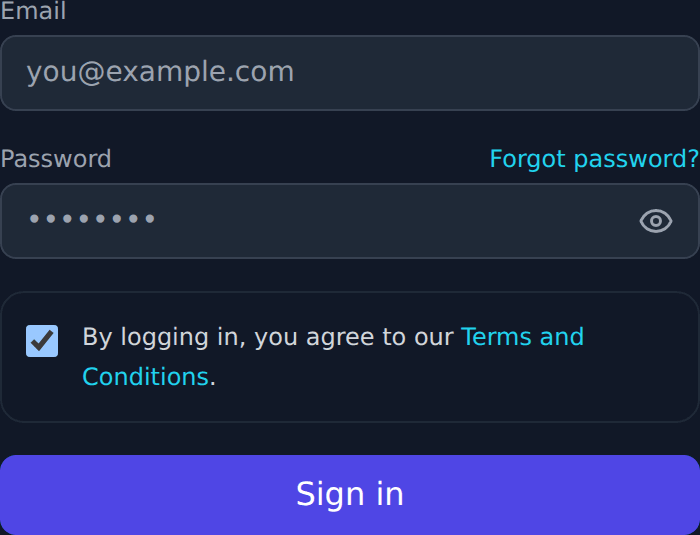
#Login पर click करें, registered email और password enter करें, फिर form submit करें.
Successful login के बाद same session Trade Bridge, Trade Bots, Trade Builder, और Trade Scalper में काम करता है.
- Registered email address use करें.
- Password case-sensitive होता है.
- अगर 2FA enabled है, password login के बाद authenticator code enter करें.
Login के बाद
#Login के बाद Trading Tools से अपना app open करें.
Subscription active है तो broker connection और live actions continue कर सकते हैं. Subscription active नहीं है तो app पहले subscription message दिखाएगा.
Password reset
#Login नहीं हो रहा है तो Login page पर Forgot Password use करें.
Reset link registered email पर भेजा जाता है. उस link को open करके नया password बनाएं.
- Password में uppercase, lowercase, number, और special character रखें.
- Password reset email forward न करें.
- Email नहीं दिखे तो spam या promotions folder check करें.
Two-factor authentication
#2FA password के बाद एक extra safety step है.
अगर enabled है, Google Authenticator, Microsoft Authenticator, या Authy जैसे authenticator app से code enter करें.
Subscription warning
#Subscription warning का मतलब है कि उस tool के लिए आपका access अभी active नहीं है.
आप कुछ pages browse कर सकते हैं, लेकिन strategy save, broker connect, order placement, और runtime changes blocked रहेंगे. Product subscription activate करने के लिए Payment page use करें.
Broker connection warning
#Broker connection warning का मतलब है subscription active है, लेकिन broker session अभी connected नहीं है.
Settings खोलें, assigned broker account select करें, required credentials enter करें, और broker connect या reconnect करें.
Preview mode
#Preview mode visitors को product समझने में help करता है.
Trade Bridge और Trade Bots demo walkthrough data दिखा सकते हैं. Trade Scalper read-only market snapshots दिखा सकता है. Preview mode live trading नहीं है.
Live account actions
#Live account actions में strategy save, broker connect, order place, order exit, और runtime controls change करना शामिल है.
इन actions के लिए Login, selected tool का active subscription, और trading में सही broker connection चाहिए.