AI Strategy Finder
My alerts
Up to 100 alerts for 499 credits a month: every trading day, before the market opens, see what each investing strategy you bought buys and sells.
What alerts do?
#An investing strategy tells you its rules, but following it by hand means checking hundreds of stocks every day. Alerts do that checking for you. Every trading day, before the market opens, each of your alerts is run on the latest prices and you see exactly which stocks to buy and which to sell — on the My alerts page in the left menu and in one email.
An alert is for an investing strategy you bought. It follows the strategy's own portfolio, exactly as its page runs it, from the start of the dates it was found with. For example, a strategy that holds 10 stocks at a time tells you Buy TITAN at the next open, 10% of the portfolio on the day it would buy TITAN, and tells you when it sells a stock at the next open or at its stop loss or target during the day.
The plan: up to 100 alerts for 499 credits a month
#One small price covers everything: 499 credits for 30 days, however many alerts you have, up to 100 alerts. That is about 17 credits a day for all of them together. Start it on My alerts.
It renews by itself from your credit balance every 30 days. If the balance is short on the renewal day, your alerts pause and we email you; add credits and press Resume. Stop renewal switches the renewal off — your alerts keep running until the paid days end.
The plan is paid from the same credits you use for searches and for buying strategies. Buy them on the Credits page.
Add an alert
#Every investing strategy has a bell button — in the row of the results list and on the strategy's page (Create alert). Until you buy the strategy, the bell asks you to buy it first (or to log in), because an alert shows exactly what its rules buy and sell.
Press the bell on a strategy you bought: My alerts opens and asks Create an alert for strategy …? Press Create alert. You can also paste the strategy's 10-digit ID into Add an alert on My alerts.
When alerts arrive: email and Telegram
#The checks run at 07:30 in the morning, Tuesday to Saturday, on the close of the trading day before — the day's final prices are published after the evening, so the morning is the first time they are complete. The alerts reach you before the 09:15 open, and only on days something changed.
The email opens with the line saying which of your strategies scanned the market, then a small table per strategy — Stock, Action, Reason. The bracket under the action says when: Buy (at the next open), Exit (at the next open), Exit (at the next close) for a time limit, or Move stop-loss (before the next open) when a trailing stop steps up. A buy's reason also gives its stop-loss and target as a percentage of your buy price, so you can place them as soon as you buy. A stop loss or target hit during the day shows as Exited (on 8 Oct, during the day).
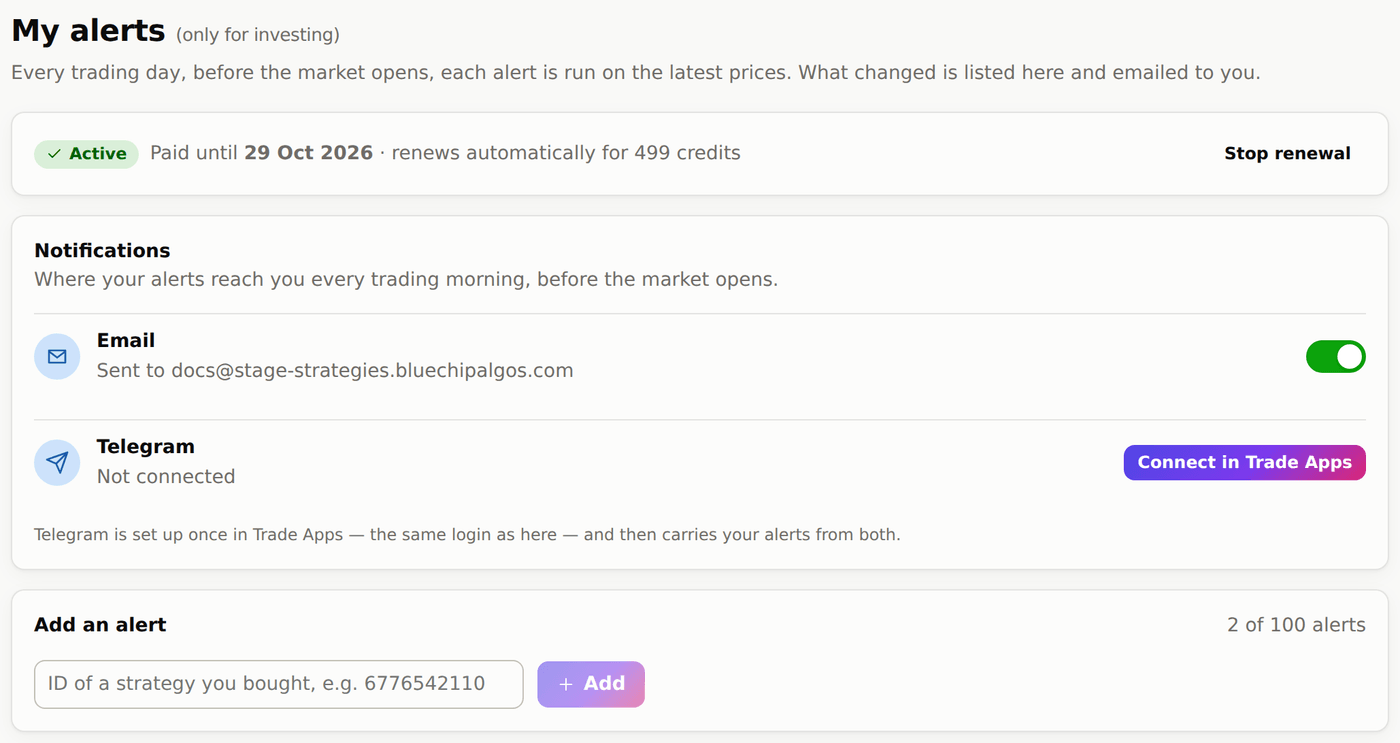
The Notifications card on My alerts decides where they reach you. Email is on by default and goes to your login email; switch it off, or press Unsubscribe at the bottom of any alert email, and the emails stop — your alerts keep running and keep showing on My alerts. Telegram sends the same alerts to your phone: press Connect in Trade Apps and Trade Apps opens, already logged in, at its Telegram settings. Connect once there — it is the same Bluechip Algos login — and Telegram carries your alerts from both.
The My alerts page
#At the top, the plan: when it renews, or the button to start it. Once the plan is active, the Notifications card (email and Telegram). Then Add an alert, then the list of your alerts with how many stocks each holds now, when it was last checked, and buttons to rename, pause or delete it. Pausing or deleting an alert doesn't change the monthly price.
Scanned stocks lists what the latest check found: buys and sells for the next open, and stops or targets hit during the day. Alert history keeps every past alert. The stocks you actually hold can differ from the strategy's — a sell alert for a stock you don't hold can be ignored.