Strategy Automation Tools
Trade Bots: Getting Started
The time-based algo tool — the clock decides the entry, not an indicator.
A time-based trading tool
#Trade Bots trades on time. You give it a clock — enter at this time, exit at that time, on these weekdays — and it does exactly that. No indicator has to agree, and no outside signal is needed.
That suits strategies where the timing itself is the edge: selling a straddle once the opening rush has settled, or being flat before the closing hour.
You configure the legs once — a straddle or strangle around the ATM strike, for example — and the schedule runs it every selected weekday until you switch it off.
Which tool is this, and how is it different?
#Bluechip Algos has seven trading tools. Three place trades from a signal, three are for trading by hand, and one manages a stock portfolio. The quickest way to tell them apart is to ask what decides the entry.
- Trade Scalper — you decide, trade by trade. A discretionary tool for intraday traders and scalpers, with advanced controls built for option traders.
- Trade Disc — you decide, and then you adjust. A discretionary terminal for option traders who change a position after it is open — moving a leg to another strike, or changing its size, in one click.
- Trade Charts — you decide, on the chart. Options traded straight from the candles — entry, stop loss and target are lines you drag, with patterns and indicators drawn on the same chart.
- Trade Builder — indicators decide. RSI, moving averages, Supertrend, levels and candle patterns, worked out inside the platform on official candles. It analyses the index and places the order in options.
- Trade Bots (this one) — the clock decides. You give it times — enter at 09:20, exit at 15:10, on these weekdays. Straddles and strangles built around a schedule rather than an indicator.
- Trade Bridge — somebody else decides. Your signal comes from a third party such as TradingView. You configure what to trade here in Trade Apps, and the order is executed in your broker terminal.
- Equity Rebalancer — your stock list decides, on your schedule. You hold a fixed number of stocks in equal amounts and change the list every week or month. It works out what to sell and buy so every stock is even again, and buys shares for delivery rather than trading intraday.
Who this suits?
#It suits you if your strategy is described by a clock rather than a chart: sell the 09:25 straddle, exit at 15:10.
It does not suit you if your entry depends on what the market is doing at the time. If you need RSI, a moving average or a breakout to agree first, that is Trade Builder.
What you need before you start?
#The same three things every automated tool needs.
- An active subscription — without it, bots can be built but not run live.
- A connected broker account, checked on the Settings page.
- An underlying: NIFTY, BANKNIFTY or SENSEX.
How the timing works?
#At Entry Time the bot places every leg you configured. At Exit Time it closes whatever is still open.
Both use IST market time, and Exit Time must be after Entry Time. A bot with no active weekday selected will never trade — that is the most common reason a new bot looks dead.
A Positional bot can hold for longer: set Exit After to the number of trading days (up to 20), and it exits at Exit Time on that day — for example enter 15:15, exit 09:20 with Exit After 1. Weekends and market holidays are skipped, and the bot does not enter again while that position is open.
Risk controls still apply in between. A stop loss, target or MTM limit can close the position before Exit Time arrives; the clock is the plan, not a guarantee of how long you stay in.
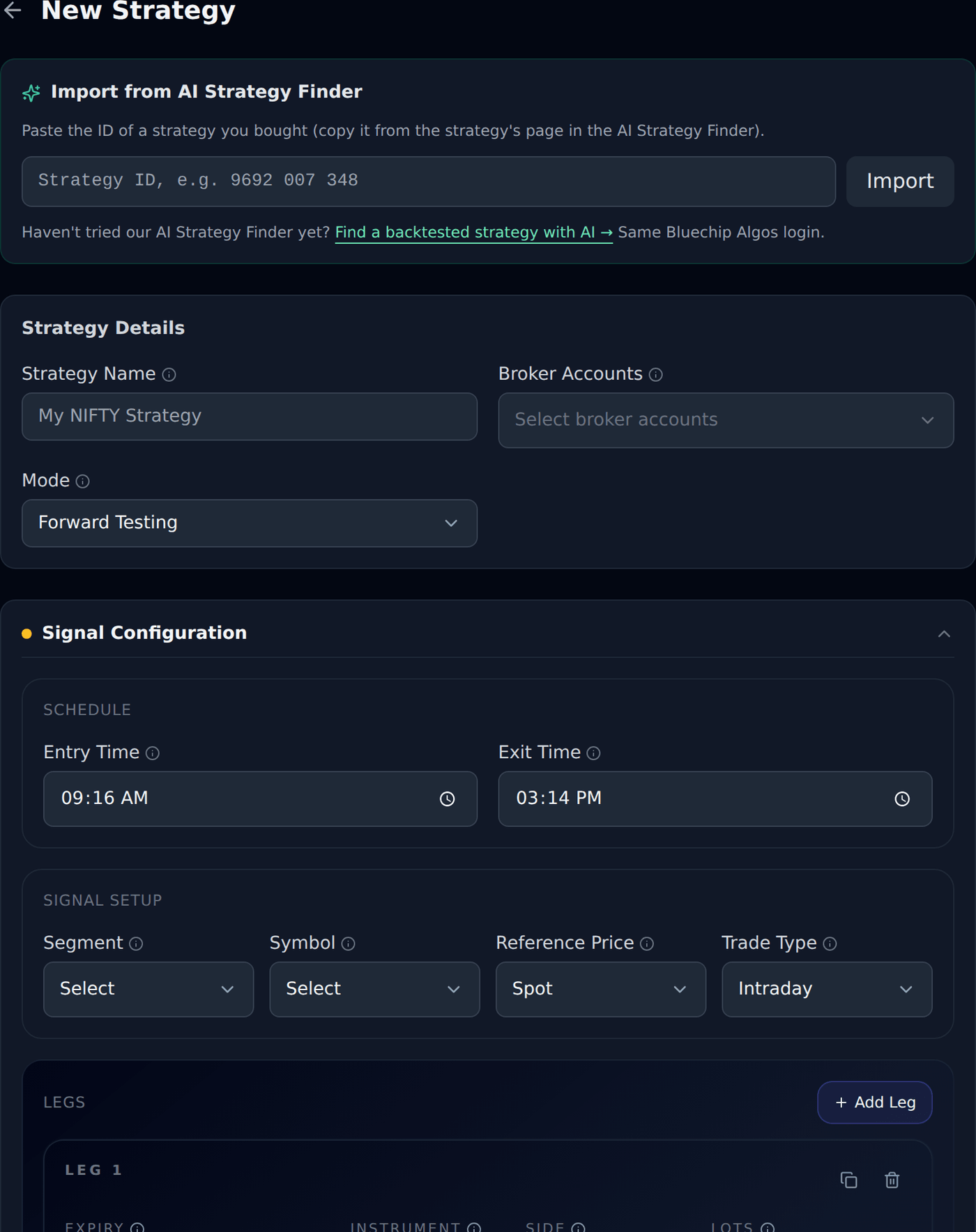
Practise first with Forward Testing
#Set Mode to Forward Testing and the bot does everything except send orders to your broker. No real money moves.
Run it for a few days and check the entry and exit times behaved as you expected before switching to Live Trading.
What it cannot do?
#Stated plainly, so there are no surprises.
- It cannot react to the market. If the day is unusual, the bot still enters at its time — unless a risk control stops it.
- It cannot suggest times or strikes. Which time to trade is your decision; suggesting one would be trading advice.
- It cannot trade on a day you did not select, or outside market hours.