AI Strategy Finder
Your AI strategies, portfolios and history
Keeping AI strategies, combining them, and finding past AI searches.
My strategies: the AI strategies you keep
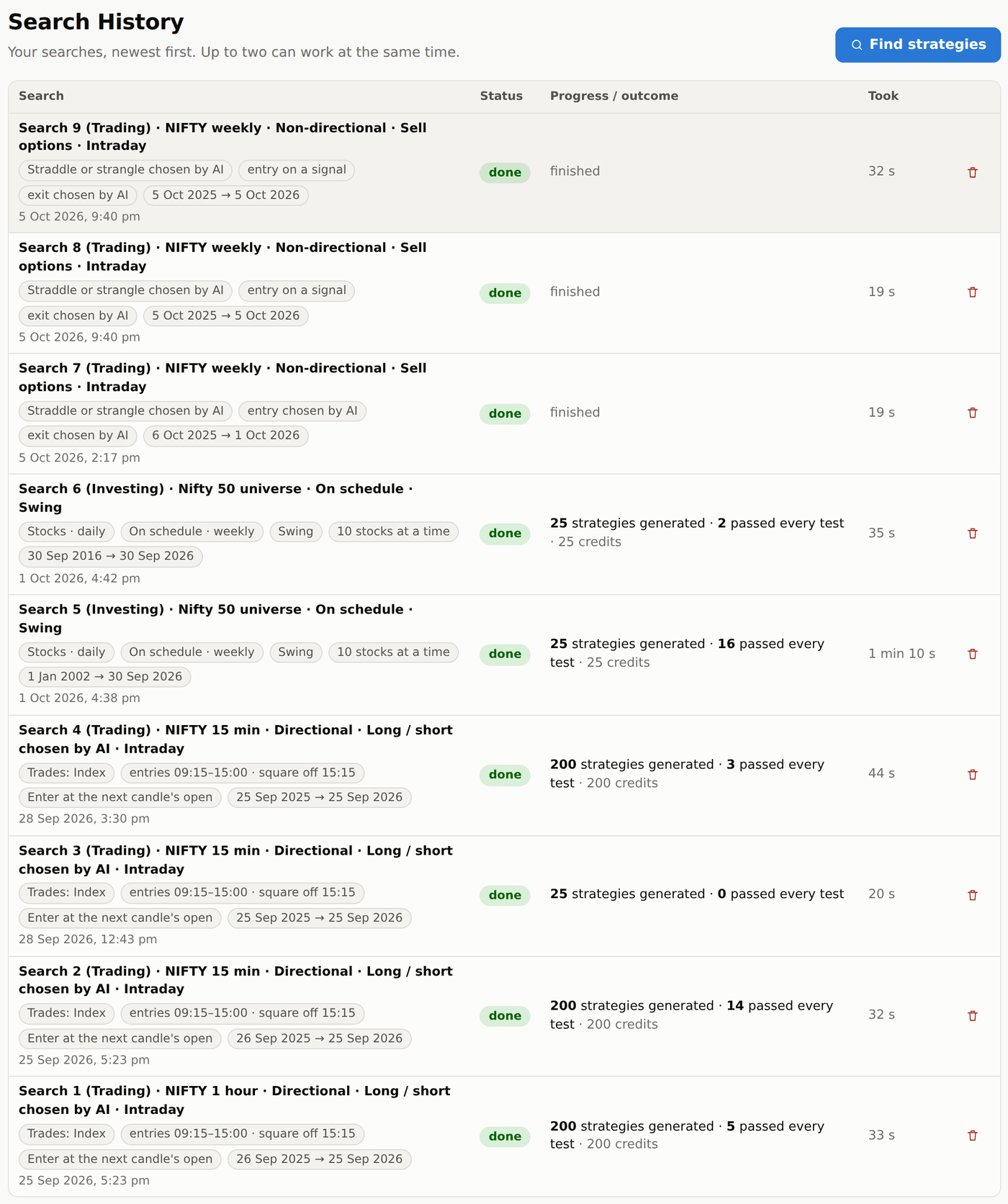
#Two switches at the top: Saved | Bought and Trading | Investing | All. Saved is every strategy you kept with Save; Bought is every strategy you bought, saved or not, newest first — open it, or deploy it from the same row (the button reads Deployed once it is set up in your account); an investing strategy shows its alert bell there instead (Alert on once it has one). The page opens on Saved, or on Bought when nothing is saved yet. Open the investing strategy page to find Deploy beside Alert and send it to Investing Terminal.
Every strategy you saved, with the numbers from when you saved it: trades, net profit in ₹, win %, profit factor and how many tests it passed. The pencil beside a name lets you type a new one right there, and Add a note under it keeps your own comments; the bin deletes a strategy after you confirm. You can keep up to 200 saved strategies; at 200, delete one to save another. Bought strategies don't count towards the 200.
Run all on the latest data walks every saved strategy forward to the newest day of data and shows where each one stands now: whether its signal is firing, whether it would have a position open, the last day's P&L, the trades since you saved it, and its last 20 trades. It uses 1 credit per strategy.
Portfolios of AI strategies
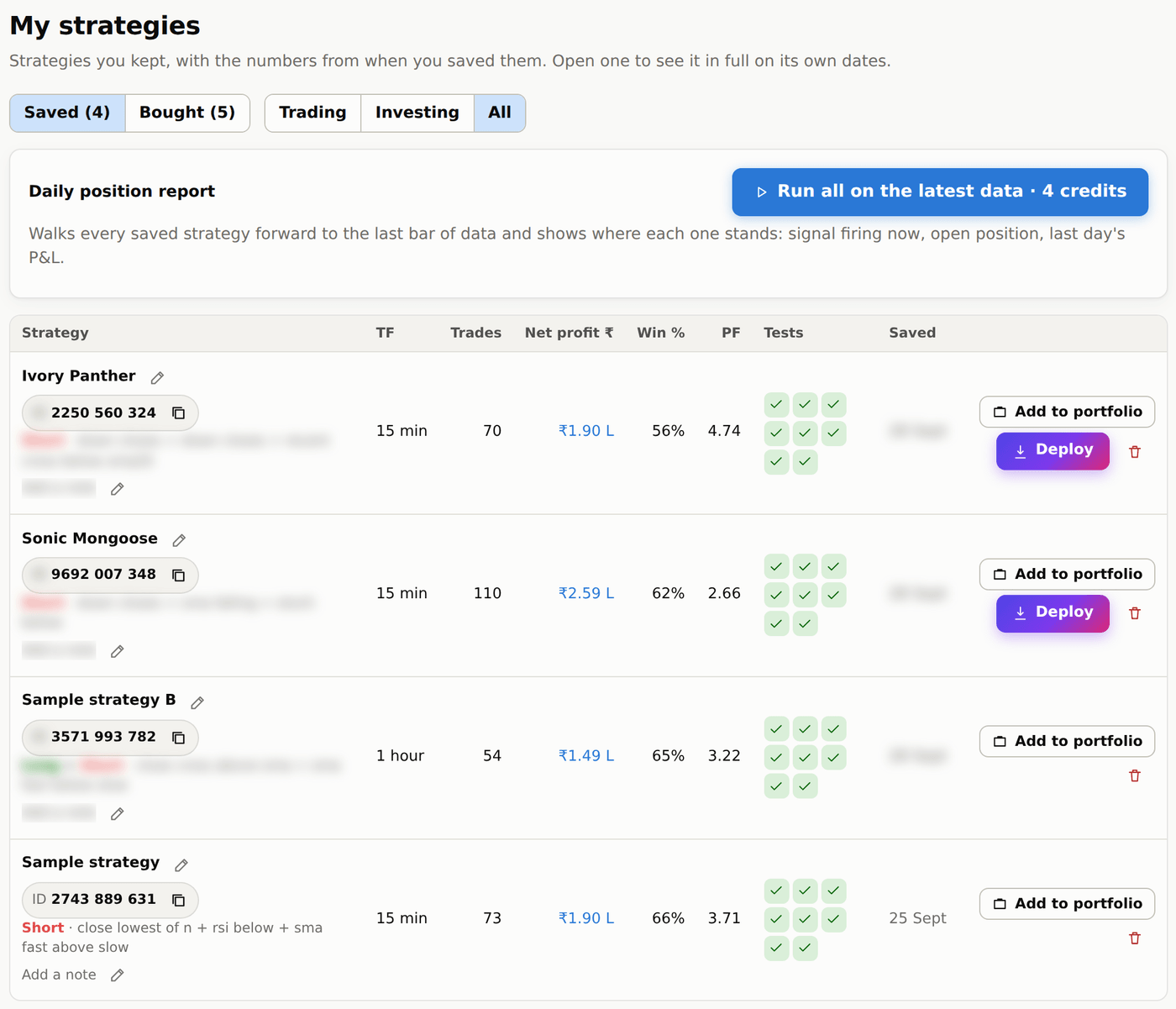
#A portfolio is a group of saved strategies traded together. Every trade from every strategy is merged into one list in time order, and all the numbers — profit, drawdown, win rate, the monthly table — come from that combined list.
Create one with New portfolio, or with Add to portfolio on any strategy. Inside a portfolio you can set the Lots and the Capital ₹ for each strategy, choose Take both or Only one position at a time when two strategies signal together, and see Each strategy's part, the month-by-month table and a correlation matrix (strategies that win and lose on the same days add less safety than strategies that do not; such pairs show in red, unrelated or opposite ones towards green).
Each strategy in a portfolio has a tick box. Untick one to leave it out of the numbers — every figure changes at once and the count shows how many are included. An unticked strategy stays in the list, so you can tick it back. The bin beside every strategy takes it out of the portfolio for good (it stays in My strategies). Under each name you see its timeframe, direction, intraday or positional, and whether it trades the index or options.
Each strategy's capital starts at ₹2 L for an index strategy (one lot of the index future), ₹50,000 for buying options and ₹2 L for selling options, per lot; type your own figure to change it. The Starting capital is the capital of the ticked strategies added up, so unticking a strategy also takes its capital out. Run works out the portfolio: nothing is shown until you press it, and the numbers then stay as they are — they never update by themselves. The Portfolio backtest card has the dates (the last year of data to begin with) and says when it last ran, on which dates and with how many strategies; pick other dates there and press Run again to bring it up to date. A run uses 1 credit per ticked strategy (5 strategies = 5 credits); lots, capital, ticks and costs only re-work the last run and are free. A strategy added or ticked since the last run is shown as not in it until you run again.
On the Portfolios list, tick a portfolio in the Compare column to see its numbers and profit chart; tick more to see them side by side. Portfolios stay in the order you created them. Click the pencil beside a name and type the new name right there; the bin deletes a portfolio after you confirm (its strategies stay saved). New portfolio opens one named Portfolio 1, 2 … with its name ready to type over.
Search History
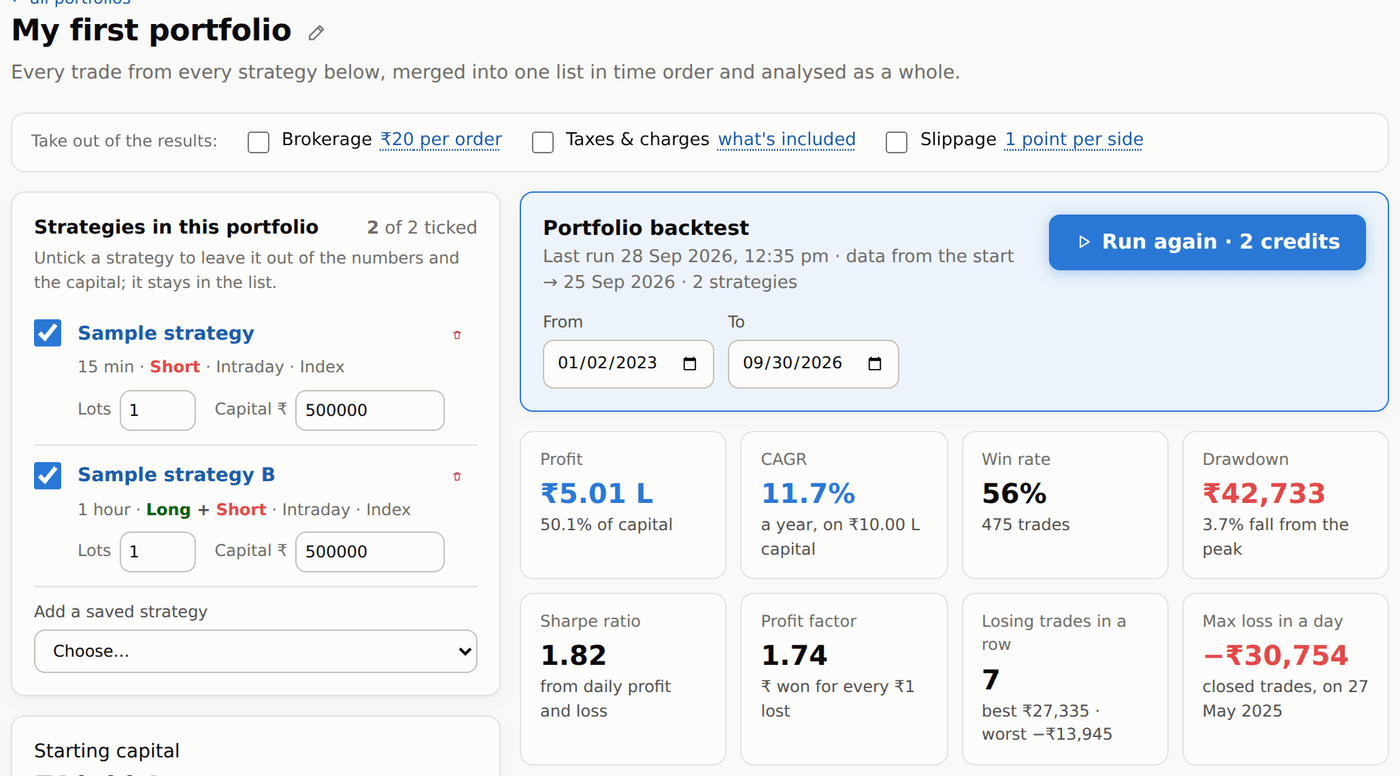
#Search History (in the left menu) lists every search you started, newest first, with its status, what it found and how long it took. A green mark means it produced strategies that passed every test. You can open, cancel (while running) or delete a search (strategies you saved or bought from it stay in My strategies and your portfolios). Up to two searches can work at the same time. Each title says what was searched — the index and chart, Directional or Non-directional, the strategy type (Long only, Short only, or Long / short chosen by AI) and Intraday or Positional. Below it: Trades: Index or Trades: Options (Buy ATM weekly), the trading hours, how trades were entered, and the dates. The search's own page shows the same title. Searches are kept for 30 days and then removed by themselves; strategies you saved, bought or put in a portfolio stay for good, with the same numbers.