Strategy Automation Tools
Building Rules from Candles
Open, high, low, close and volume; looking back at earlier candles; highest/lowest; the +/- margin.
Building rules from candles alone
#You do not need an indicator at all. Every candle has five values you can use directly, and you can look back at earlier candles too.
That is enough for a lot of real strategies — breakouts, gaps, inside bars, "higher than the last five candles" — without a single indicator.
The five values of a candle
#Pick Candle on either side and you get these:
- Open — the price when the candle started.
- High — the highest price it reached.
- Low — the lowest price it reached.
- Close — the price when the candle finished. This is the one most rules use.
- Volume — how many contracts traded during the candle.
Volume always comes from futures
#The index itself — NIFTY, BANKNIFTY, SENSEX — has no volume. It is a calculated number, not something that trades, so nobody buys or sells "NIFTY".
So whenever you use volume, the platform reads it from the futures contract of that index, whatever your Reference Price setting says. Every screen that shows it says "volume (futures)" so you are never in doubt.
If volume is genuinely unavailable, the rule is treated as not ready and does not fire. It is never compared as zero — a zero would quietly make some rules true forever.
Looking back at earlier candles
#Next to each side is a small dropdown reading this candle. Open it and you can choose previous candle, or up to 5 candles back.
This is how you write comparisons across time. Candle close is above candle close (previous candle) means price is higher than it was one candle ago.
It works on indicators too, which most tools do not allow. RSI is above RSI (previous candle) means RSI is rising — with no extra indicator needed.
Highest, lowest and average of the last few candles
#Choose Highest / Lowest and you get three functions over a window you pick, from 2 to 100 candles: highest, lowest and average. Besides the candle prices, the list also has the market values — ATM straddle price, India VIX, ATM IV, put-call OI ratio and options volume — over up to 300 candles, for example India VIX is below lowest India VIX of the last 300 candles + 5%.
A breakout becomes one row: candle high is above highest high of the last 5 candles (previous candle). Without this you would need five separate AND rules.
The "(previous candle)" matters there. It compares the current candle against the five before it — otherwise the current candle is inside its own window and the rule can never be true.
The ± button: needing a real move
#Beside each side is a small ± button. It adds a margin to that value, either in points or as a percent, and it can be negative.
It exists because prices touch levels constantly. Without a margin, a one-rupee poke above a level counts as a break.
Worked example: your rule is close is above the opening range high, and the range high is 24,180. Set Percent 0.05 on the right side and the rule now needs a close above 24,192 — about 12 points of genuine movement. Small fake pokes are ignored.
A negative margin does the opposite: it makes the rule trigger slightly early, which is sometimes what you want on an exit.
Formula: doing maths in a rule
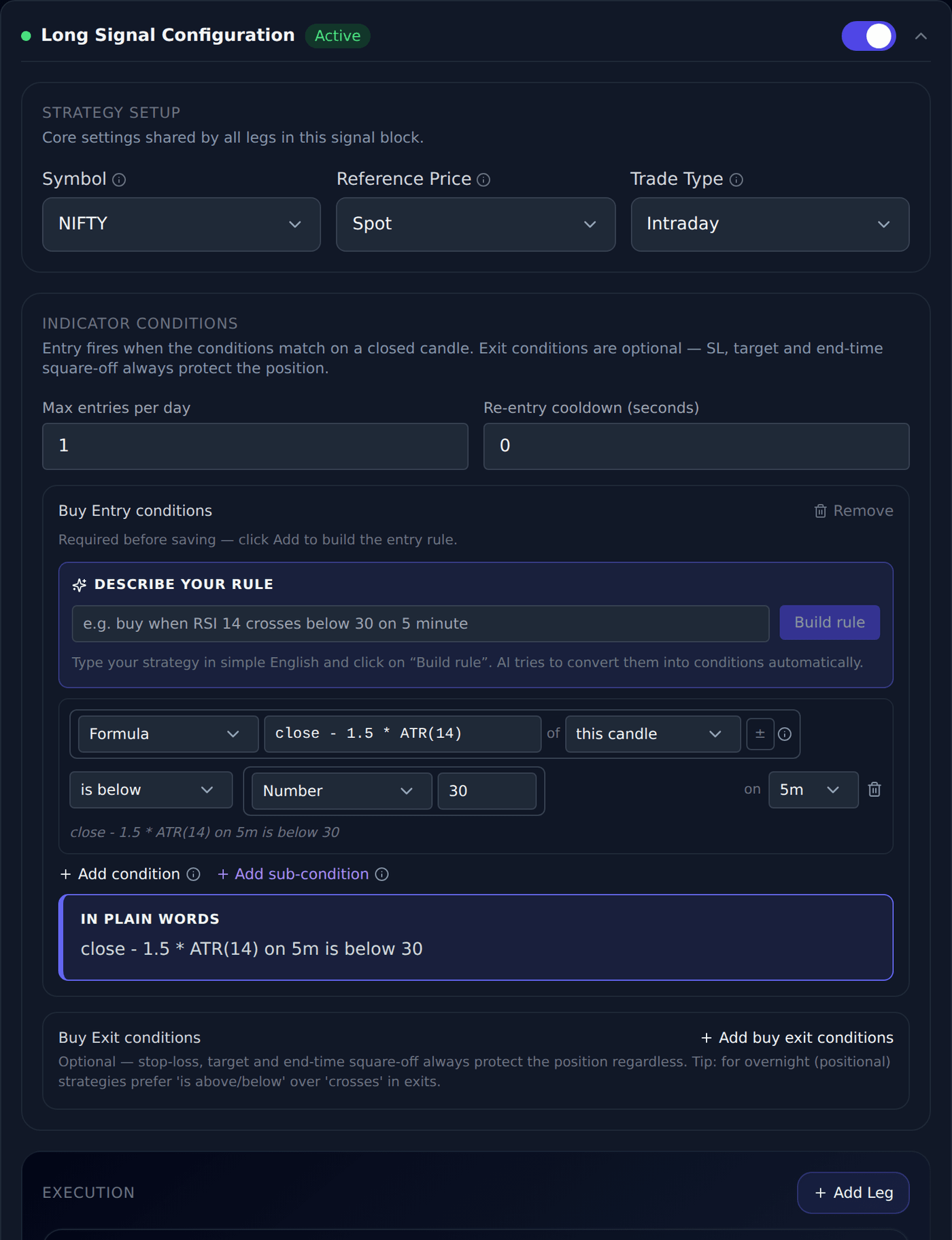
#Each side of a rule normally holds one thing — a candle value, an indicator, a level. Formula lets that side be a small calculation instead, for the rules the dropdowns cannot express on their own.
Pick Formula as the side type and type the calculation. You can use the candle values (open, high, low, close, volume), any indicator written with brackets (ATR(14), EMA(20), RSI(14)), averages and extremes over a number of candles (AVG(close, 20), HIGHEST(high, 10), LOWEST(low, 10)), plain numbers, and + - * / with brackets. ABS(), ROUND(), MIN() and MAX() are available too.
Worked example: to trade only when a candle is unusually large, set the left side to the formula high - low, the comparison to is above, and the right side to the formula 1.5 * ATR(14). The rule now means "this candle's range is more than one and a half times the recent average range".
Another: to demand real participation, use volume on the left, is above, and 2 * AVG(volume, 20) on the right — twice the average volume of the last 20 candles.
A formula behaves exactly like any other side. It works with every comparison including crosses above, it accepts the ± margin and the "candles ago" setting, and it is checked when you save — if something is wrong you get a plain message naming it, and the strategy will not save until it reads correctly.
Two limits worth knowing. A formula can use at most five indicators or averages, because each one is calculated over hundreds of candles. And if any part of it is not ready yet — an indicator still warming up, or volume that the index itself does not have — the whole rule is treated as not ready and simply does not trigger, rather than comparing a half-finished number.
Volume in a formula always comes from the futures series, exactly as it does everywhere else in Trade Builder, because an index has no volume of its own.